The hook
90% of Azure AI demos work. Most never ship. The differentiator is architecture, not the model. Everything in this guide comes from a real build — the VeritasGraph medical MCP server deployed on Azure, plus a real Power BI natural-language agent — walking an Azure AI agent from a POC that impresses to a system that survives production.
I. THE PRODUCTION GAP
The demo works on stage. Then the client asks "is this production-ready?" — and every question below is exactly what the demo quietly skipped. Bridging that gap is not about a bigger model or a cleverer prompt; it is about the engineering column on the right.
| The POC shows… | Production also demands… |
|---|---|
| A model answering a prompt | Grounding in your data with citations |
| "It worked in the notebook" | Audit trail a compliance reviewer can act on |
| One user, your login | Identity + RBAC at the boundary |
| In-memory state | Externalized, durable state |
| Happy-path calls | Resilience to bad params, throttling, tool failures |
| "Trust me, it's fine" | Observability — logs, traces, evals |
| Runs somewhere | Data residency & compliance |
II. OUTCOMES
By the end of this walkthrough you can answer, with evidence, the five questions that decide whether an Azure AI system ships:
- Ground it — RAG/GraphRAG so answers come from your data, not the model's memory.
- Externalize state — never trust serverless in-memory state.
- Secure it — identity at the boundary; entitlements enforced before data is used.
- Observe it — logs, traces, and groundedness/safety evaluations.
- Ship it compliant — region-pinned, PHI-aware, least-privilege.
III. THE REFERENCE BUILD
VeritasGraph is a remote MCP (Model Context Protocol) server that an Azure AI Foundry agent calls to answer clinical questions with verifiable citations.
Why medical? A regulated domain forces every production concern at once — grounding, audit, RBAC, residency. If it ships here, the patterns generalize to any enterprise workload. The server exposes four tools an agent can call:
| Tool | Purpose |
|---|---|
| veritasgraph_query | Multi-hop, graph-grounded answer with [doc#chunk] citations + reasoning path |
| veritasgraph_search_entities | Fast subgraph retrieval — no LLM call |
| veritasgraph_ingest_document | Chunk text, extract entities/relationships (Azure OpenAI), merge into the graph |
| veritasgraph_get_graph | Return the full knowledge graph: nodes, edges, stats |
IV. CORE ARCHITECTURE
Read the architecture left-to-right — every box exists to answer a production question, not to look clever. The client or agent authenticates through identity (Entra ID + function key), reaches the MCP server hosted on Azure Functions (Flex Consumption), which drives the graph engine, calls Azure OpenAI for extraction and reasoning against the knowledge graph, and persists everything to a durable Azure Files mount with Storage and Application Insights alongside.
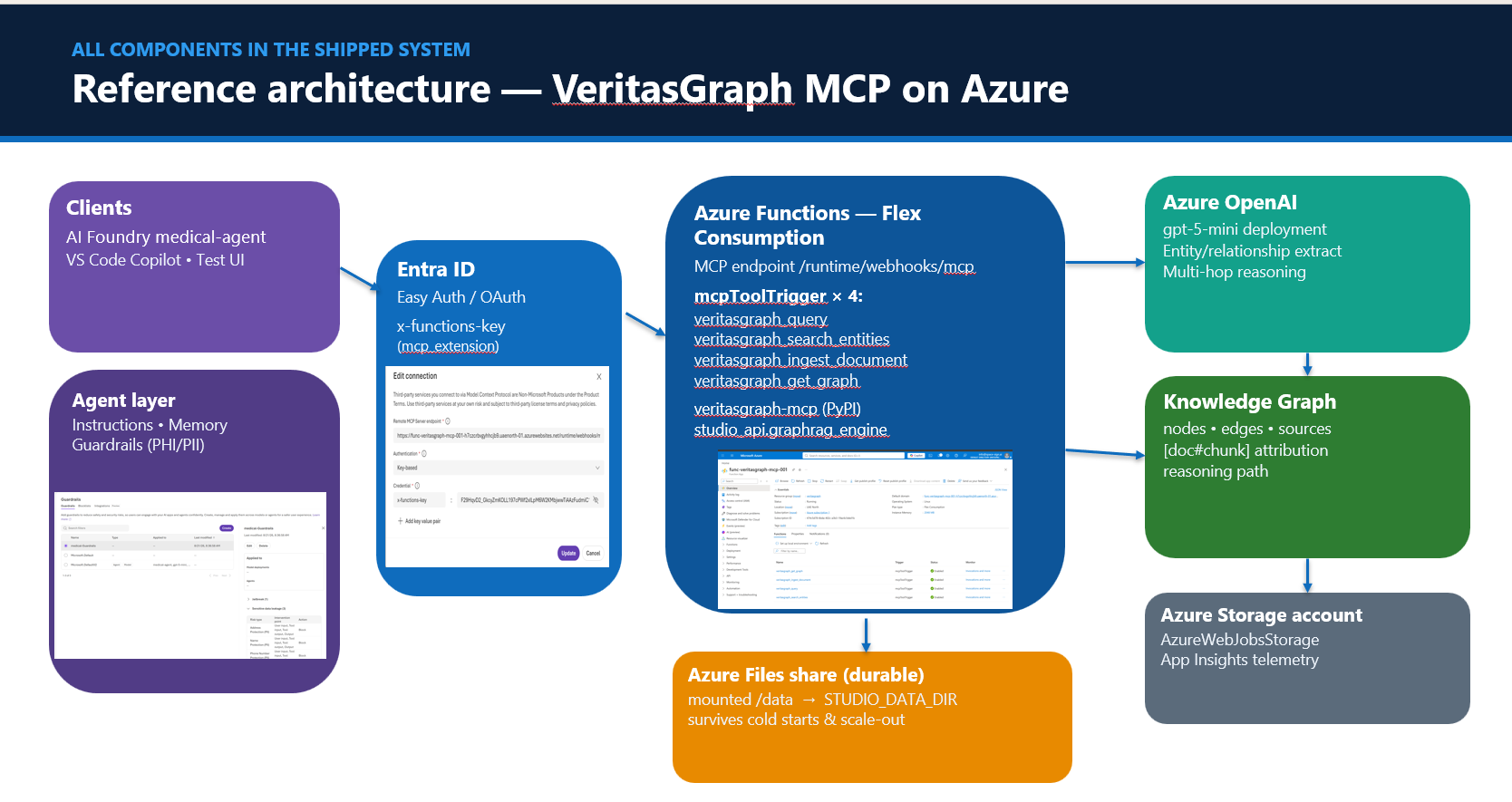
Foundry Agent / MCP client
   → Identity (Entra ID + function key)
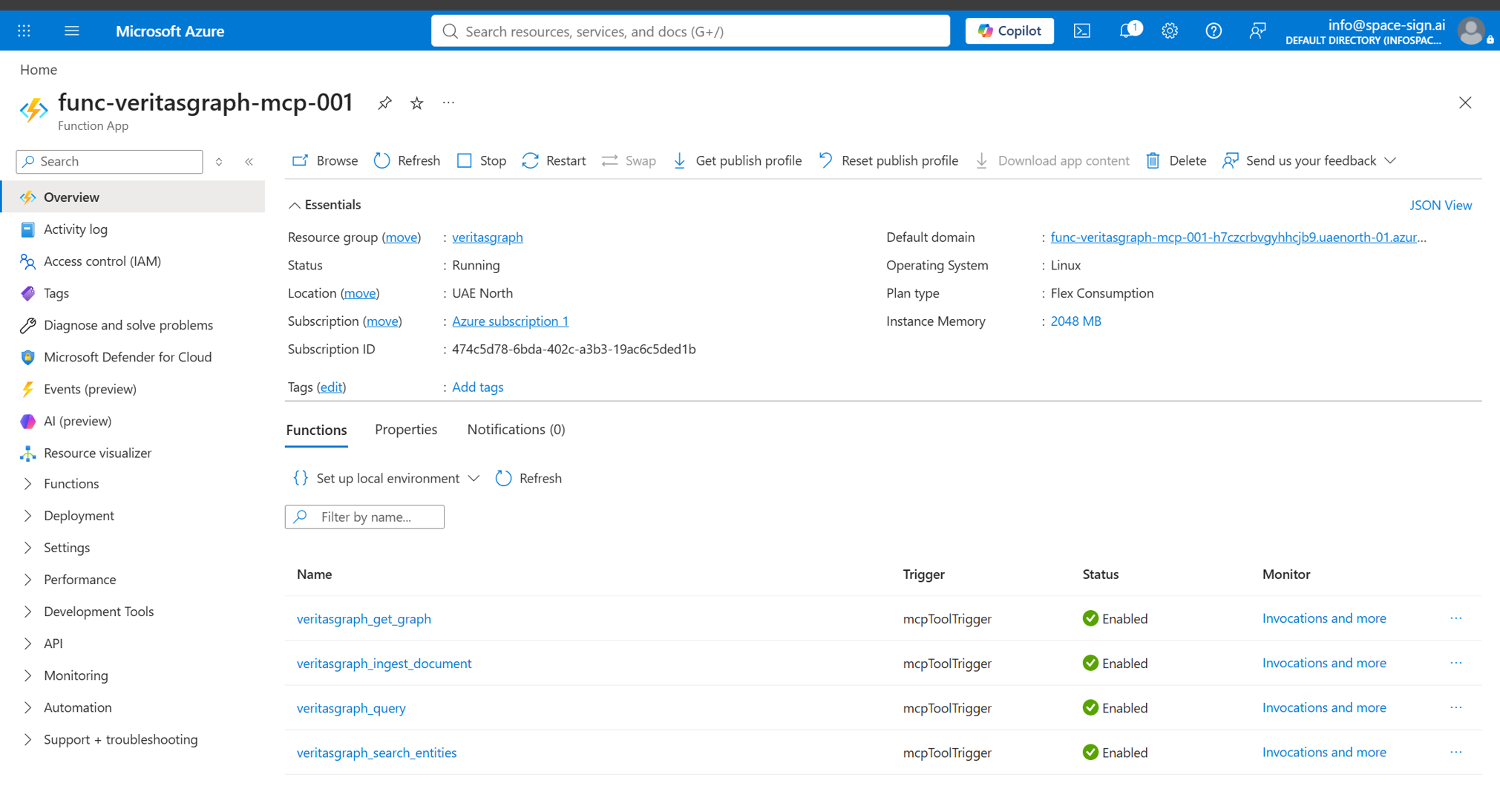
      → Azure Functions (Flex Consumption, 4 mcpToolTrigger tools)
         → veritasgraph-mcp + graphrag_engine
            → Azure OpenAI (extraction + reasoning)
            → Knowledge Graph
         → Durable Azure Files mount (externalized state)
         → Storage + App Insights (observability)
The Azure Files mount is the cold-start and state fix — the single change that turned a flaky serverless POC into a durable service.
V. BILL OF MATERIALS
| Component | Choice | Why |
|---|---|---|
| Tool protocol | MCP | Open protocol — any agent can call your tools |
| Compute | Azure Functions, Flex Consumption | Scales to zero for cost; fast event-driven scale-out; VNet support |
| State | Azure Files mount | Serverless memory is wiped on scale/restart — externalize it |
| Inference | Azure OpenAI (gpt-5-mini, swappable) | Managed, in-tenant, region-pinnable |
| Identity | Entra ID + function/system key | Identity at the boundary |
| Observability | Application Insights | Logs, latency, dependencies |
VI. FROM POC TO DEPLOYED — THE BUILD PATH
A. Scaffold the MCP server
Initialize the Python v2 programming model and add the MCP tool functions. All four tools live in a single function_app.py with @app.mcp_tool_trigger decorators, and host.json enables the experimental extension bundle that provides the MCP trigger.
func init veritasgraph-mcp --worker-runtime python --model V2
cd veritasgraph-mcp
B. Host on Flex Consumption
Flex Consumption is the production hosting choice: scale-to-zero cost, fast event-driven scaling, VNet support, and optional Always Ready instances to kill cold starts — without Premium's mandatory always-on cost.
az functionapp create \
  --name $FUNCAPP \
  --resource-group $RG \
  --storage-account $STORAGE \
  --flexconsumption-location $LOCATION \
  --runtime python --runtime-version 3.11 \
  --functions-version 4
C. Deploy with a remote build
local.settings.json is never uploaded — push the same values as application settings (using a Linux-writable path for state), then publish with a remote build so the engine installs on the Linux host.
func azure functionapp publish $FUNCAPP --build remote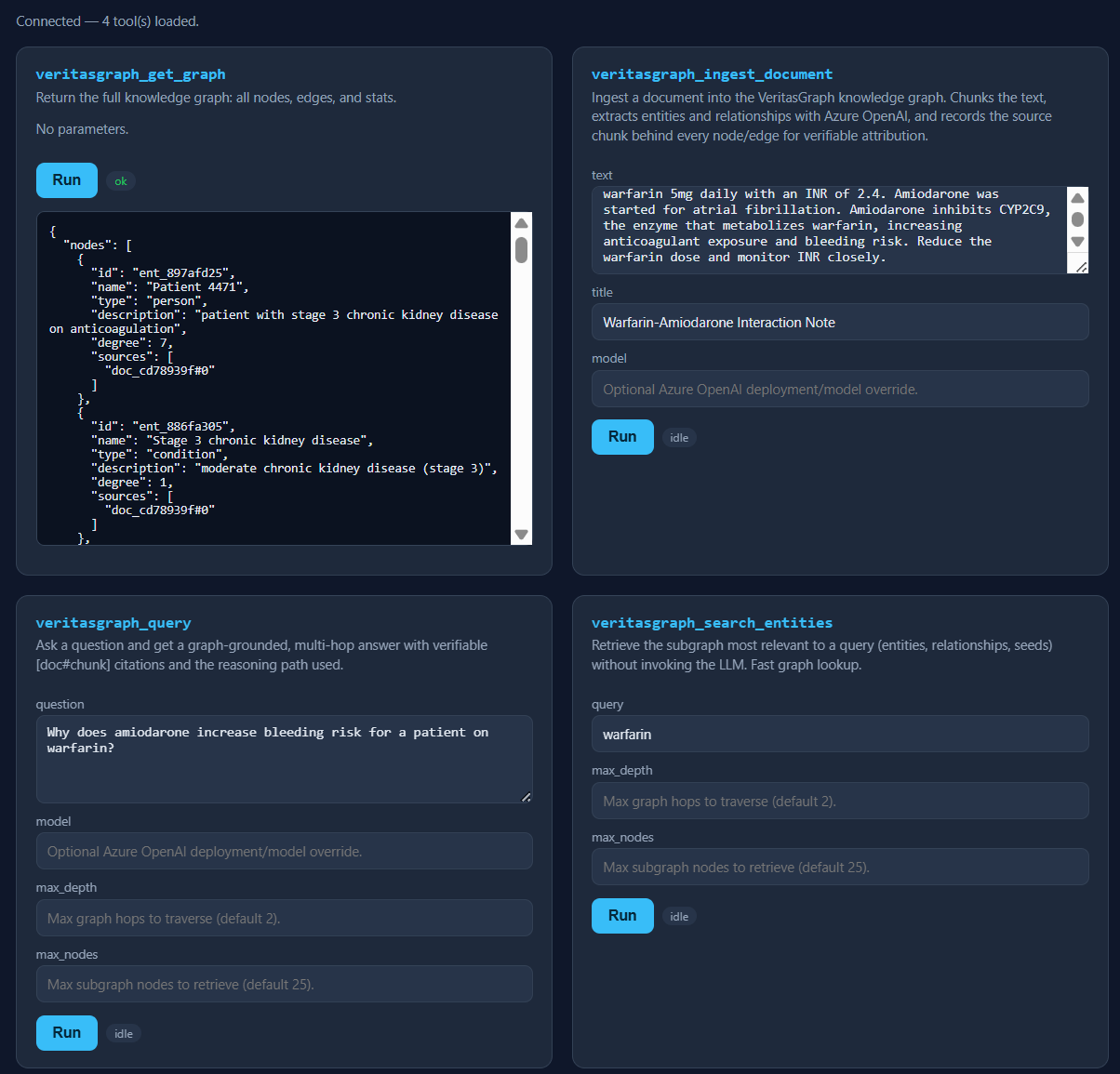
D. Connect the Azure AI Foundry agent
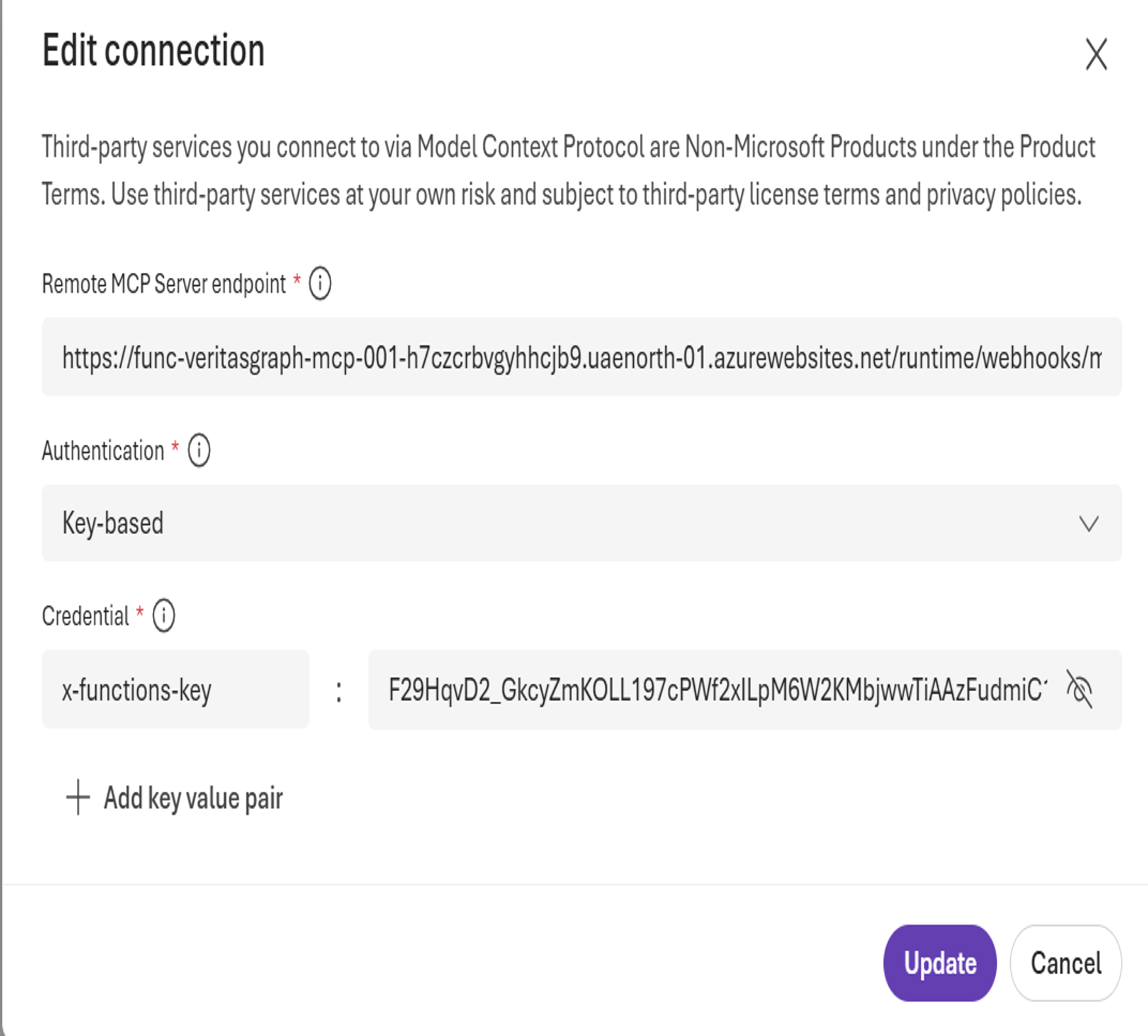
In the Microsoft Foundry Agents Playground, add a Model Context Protocol (MCP) tool pointing at the remote endpoint with the x-functions-key header. Then give the agent instructions that require grounded, cited answers: use the VeritasGraph tools, ingest first if the graph lacks the facts, and always return [doc#chunk] citations plus the reasoning path.
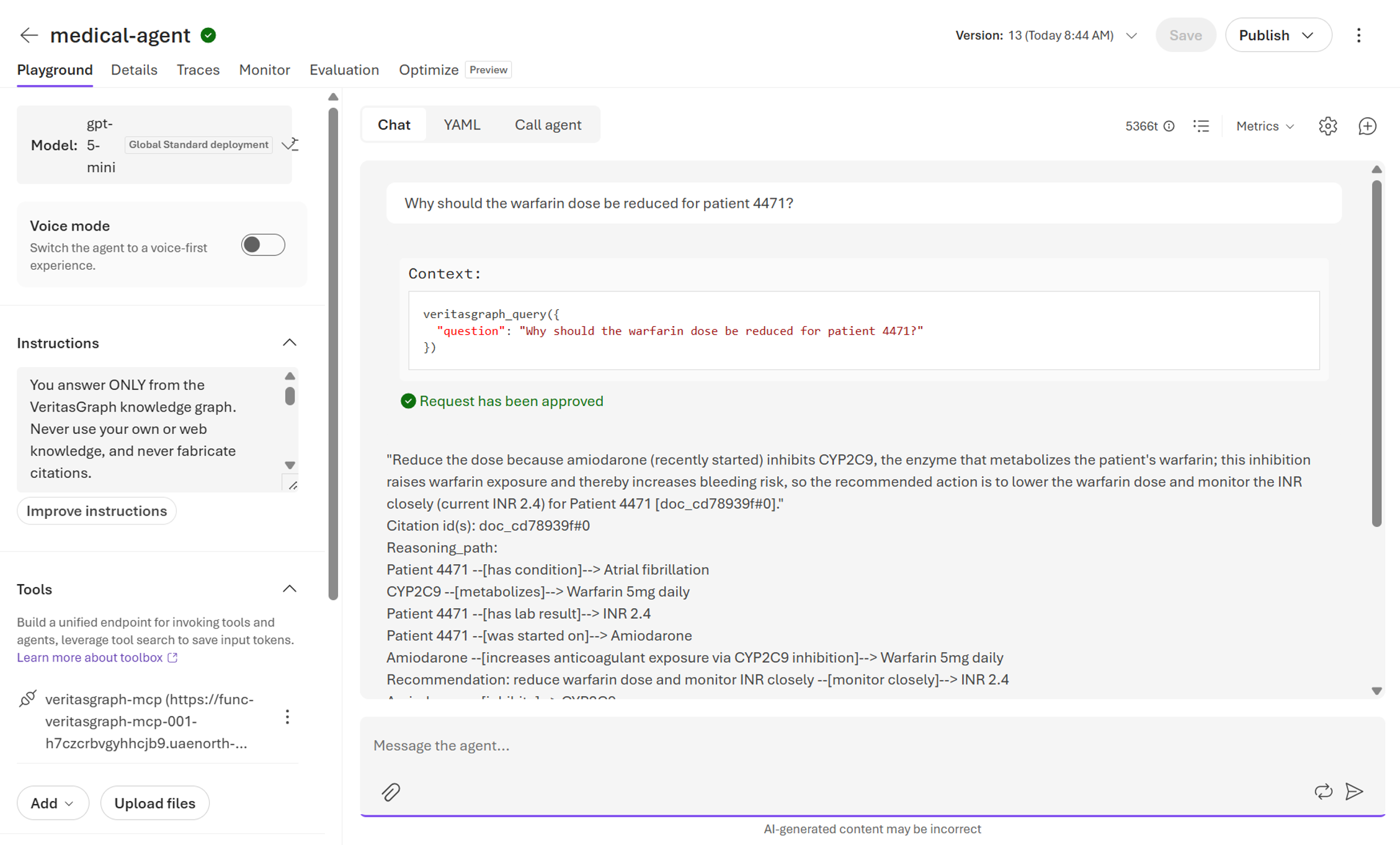
VII. GRAPHRAG — MULTI-HOP, CITED ANSWERS
veritasgraph_ingest_document chunks text, calls Azure OpenAI to extract entities and relationships, and records the source chunk behind every node and edge. The punchline is multi-hop reasoning: no single chunk states the answer; the graph assembles it from separate edges.
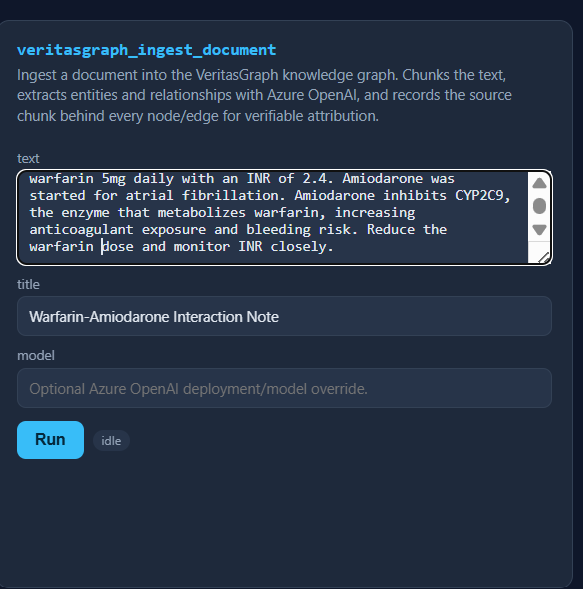
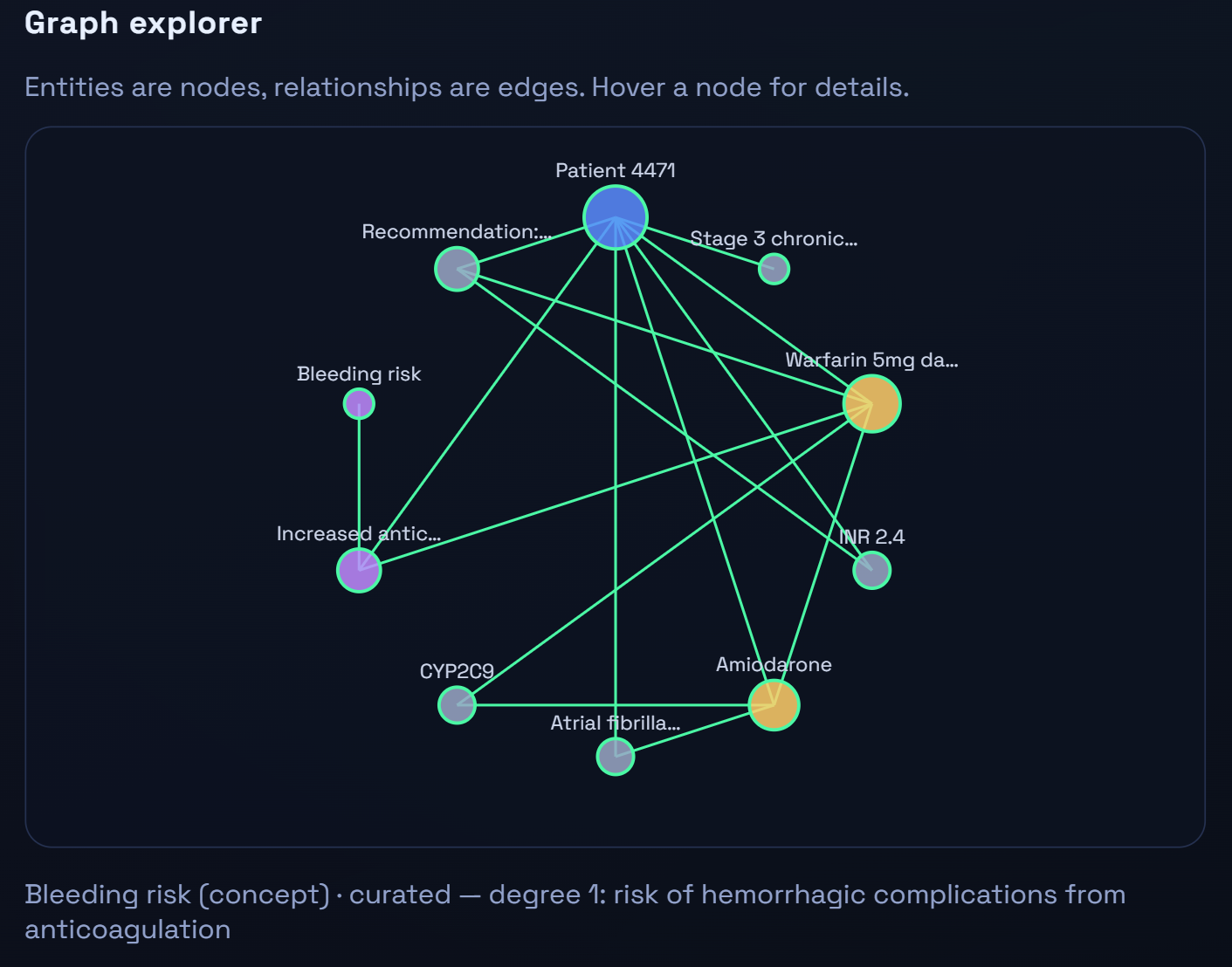
Amiodarone --inhibits--> CYP2C9 --metabolizes--> Warfarin --increases--> Bleeding RiskThat 3-hop chain is the argument for GraphRAG over plain vector RAG when relationships carry the meaning — and every hop is traceable.
VIII. AUDITABILITY & EXPLAINABILITY
veritasgraph_query returns an answer plus citations plus a reasoning path:
{
  "answer": "Reduce the warfarin dose for patient 4471 because amiodarone inhibits CYP2C9...",
  "citations": ["doc_warfarin_note#0", "doc_warfarin_note#1"],
  "reasoning_path": ["Amiodarone → CYP2C9", "CYP2C9 → Warfarin", "Warfarin → Bleeding Risk"]
}
This is explainability a compliance reviewer can act on — often the feature that unblocks the whole project in regulated clients.
IX. SEMANTIC-LAYER ACCESS CONTROL
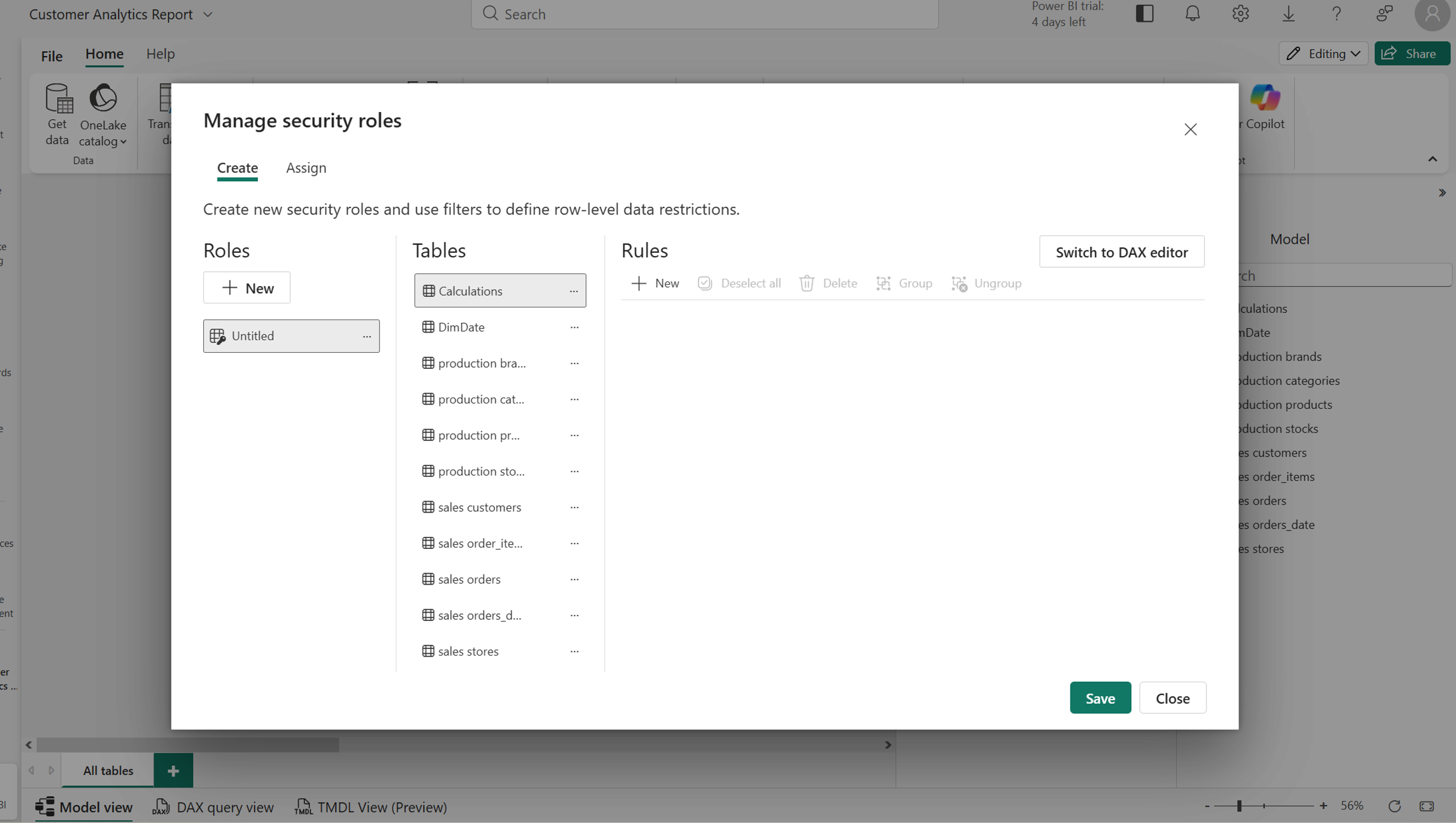
Access control belongs at the boundary, not in the prompt. Carry the Entra identity; query Power BI RLS / Dataverse roles / Dynamics security on-behalf-of the user so entitlements apply before data reaches the graph; partition or label-filter the subgraph; re-check citations at query time.
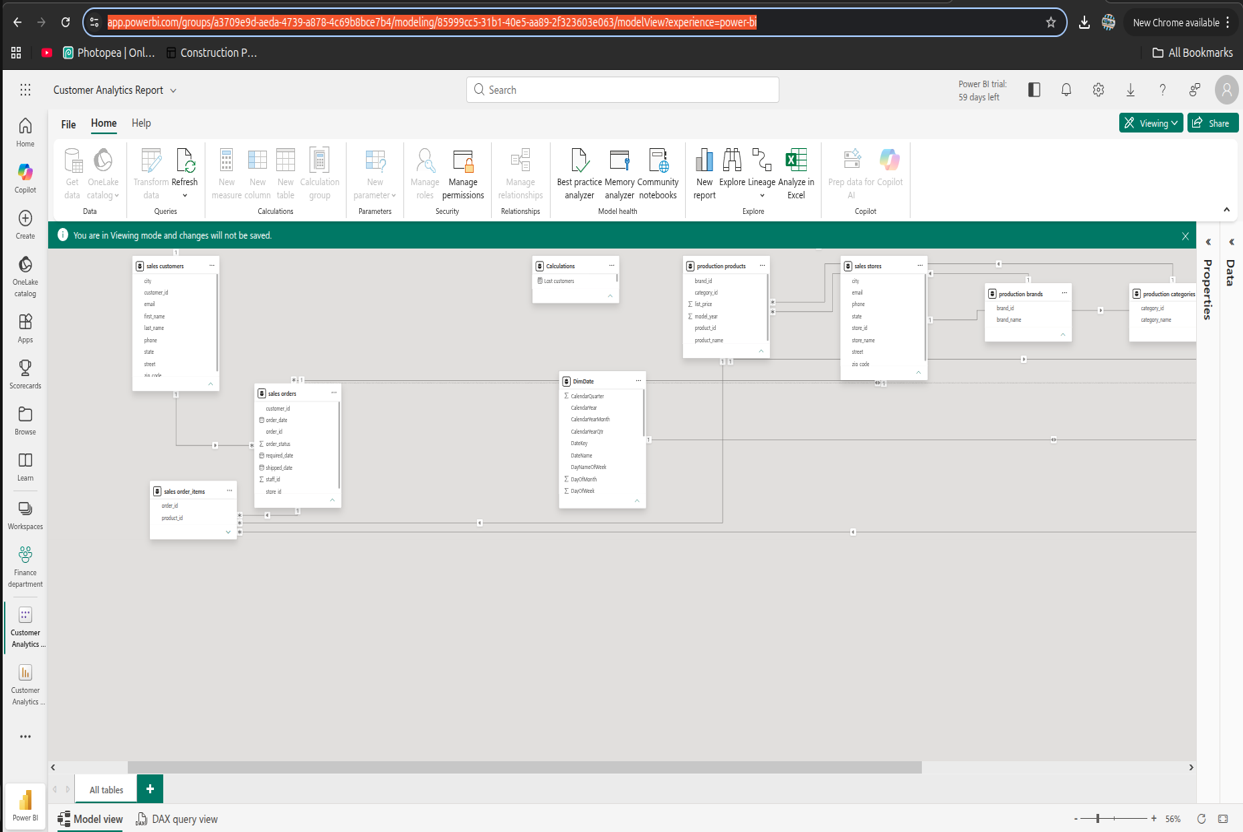
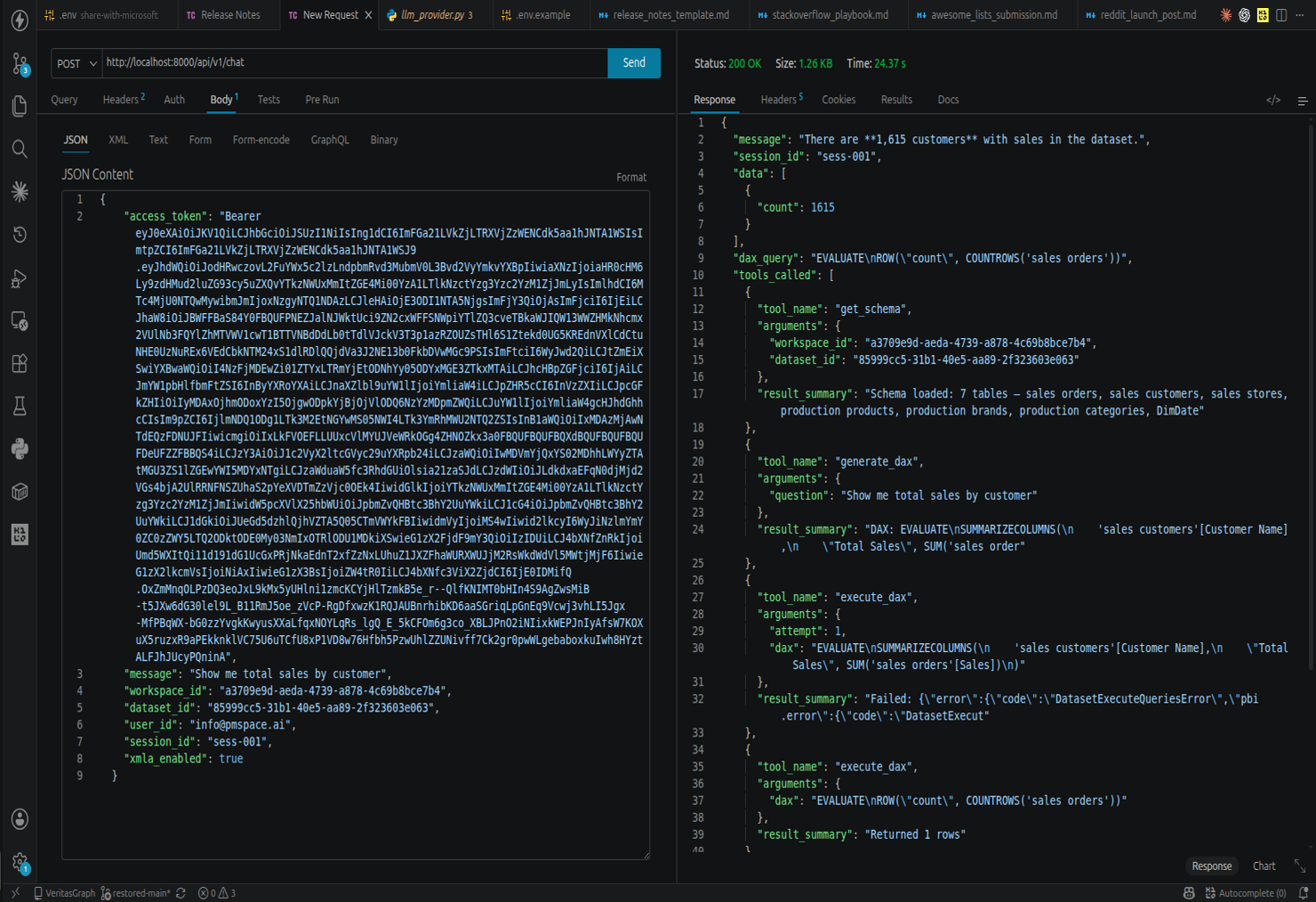
A second shipped system makes this concrete: a Power BI natural-language → DAX agent. A question validates the user's Power BI OAuth token → discovers schema → generates DAX → executes via the Power BI executeQueries REST API → self-corrects on error (up to 3×) → summarizes. Because it calls Power BI with the user's token, row-level security is enforced by the platform — not re-implemented in code.
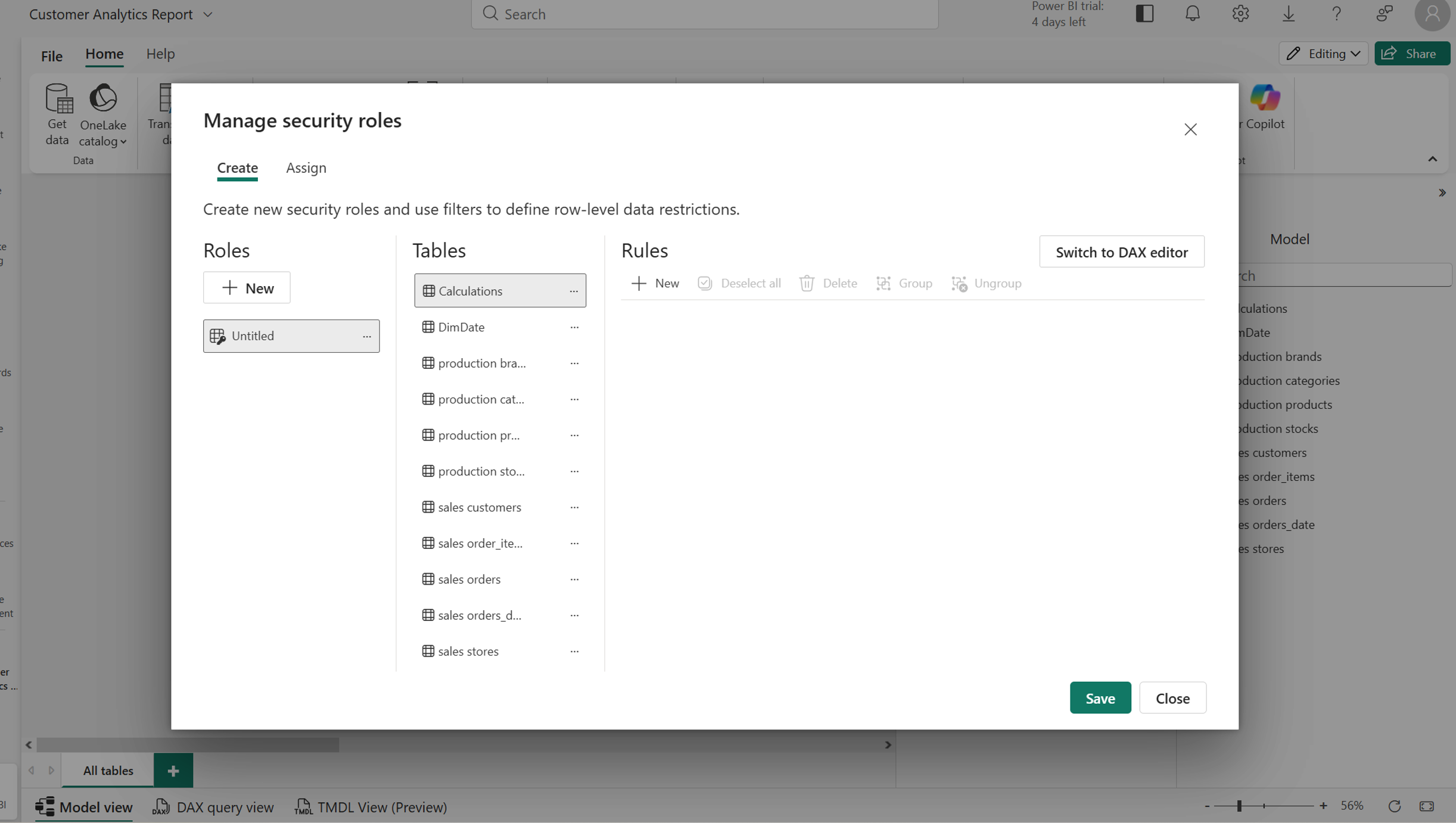
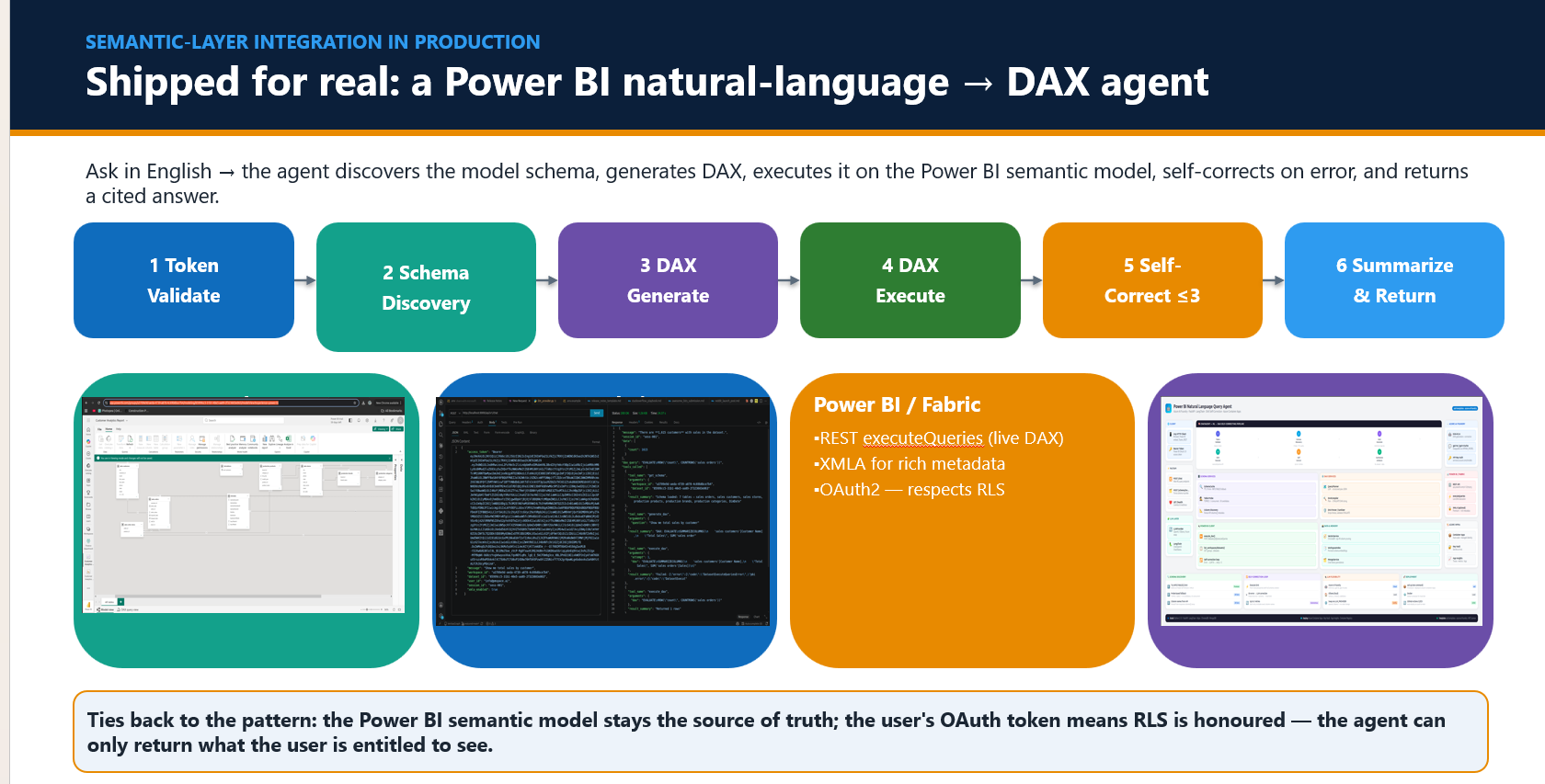
The line that lands: the semantic layer owns "who can see what"; the graph owns "what is true and where it came from."
X. PRODUCTION TRADE-OFFS
Four decisions that decide whether it ships:
| Decision | Rule of thumb |
|---|---|
| RAG vs fine-tune | RAG for facts; fine-tune for behaviour |
| Vector vs hybrid vs graph | Hybrid wins on IDs/entities; graph when relationships carry meaning |
| Managed vs custom inference | Managed (Azure OpenAI) first |
| Stateless vs stateful | Never trust serverless memory — externalize state |
XI. FAILURE-RESILIENT DESIGN & OBSERVABILITY
Resilience is design, not luck. Anchored by real examples from this build:
- Tolerate model constraints —
gpt-5-minirejectstemperature=0; omit unsupported params, don't fail. - Self-correct — the DAX loop feeds the error + schema back and retries up to 3×.
- Externalize state — Flex Consumption wiped the in-memory graph; fixed with a mounted Azure Files share.
- Validate inputs, handle throttling, degrade gracefully.
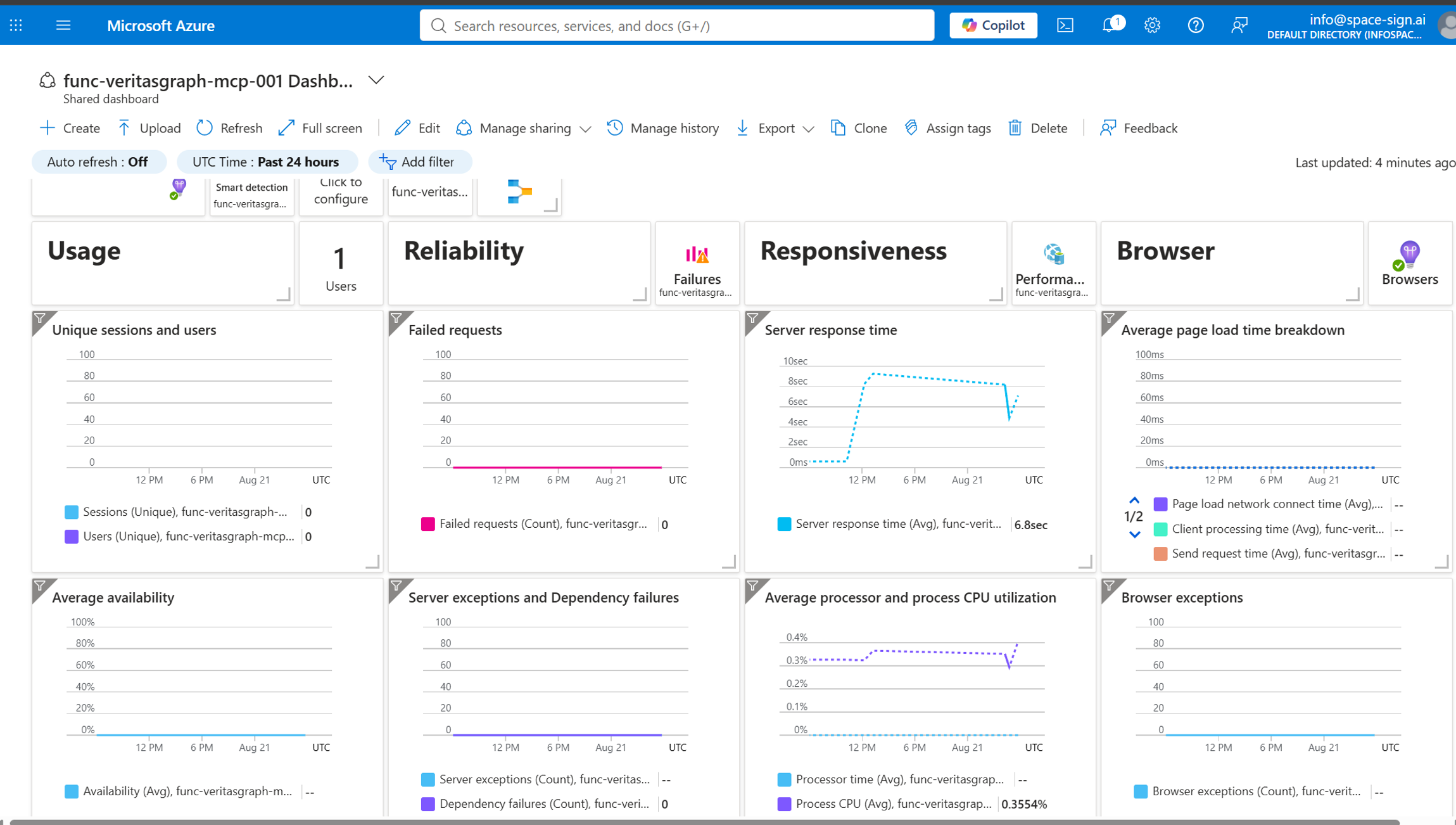
You can't ship what you can't see. Observability layers:
- Application Insights — logs, latency, dependencies.
- Foundry Traces — tool selection and arguments.
- Evaluations — groundedness and safety.
- Alerts — cost and throttle thresholds.
XII. DATA RESIDENCY & COMPLIANCE
The regulated-client reality:
- Region-pin every resource; keep inference in-tenant.
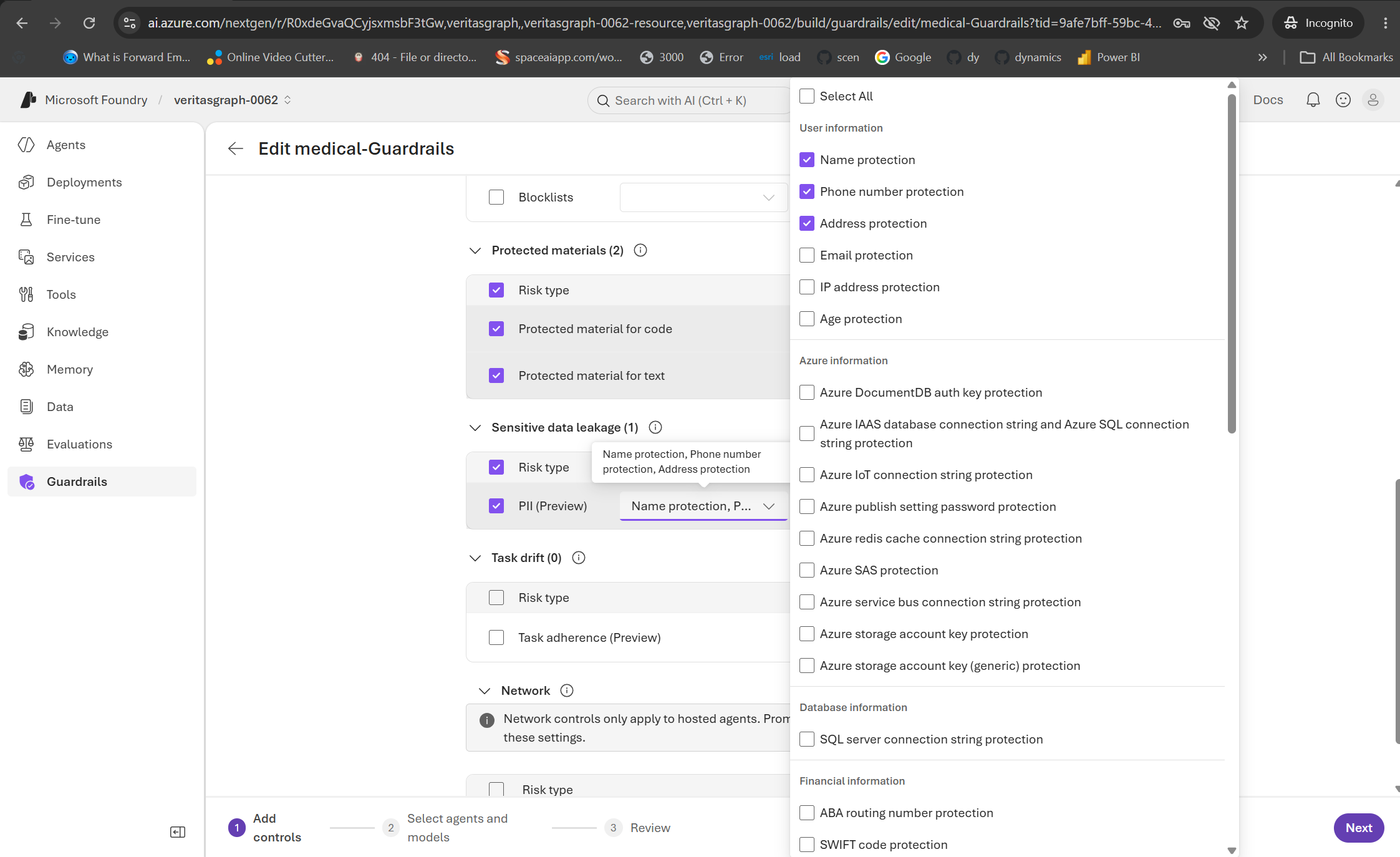
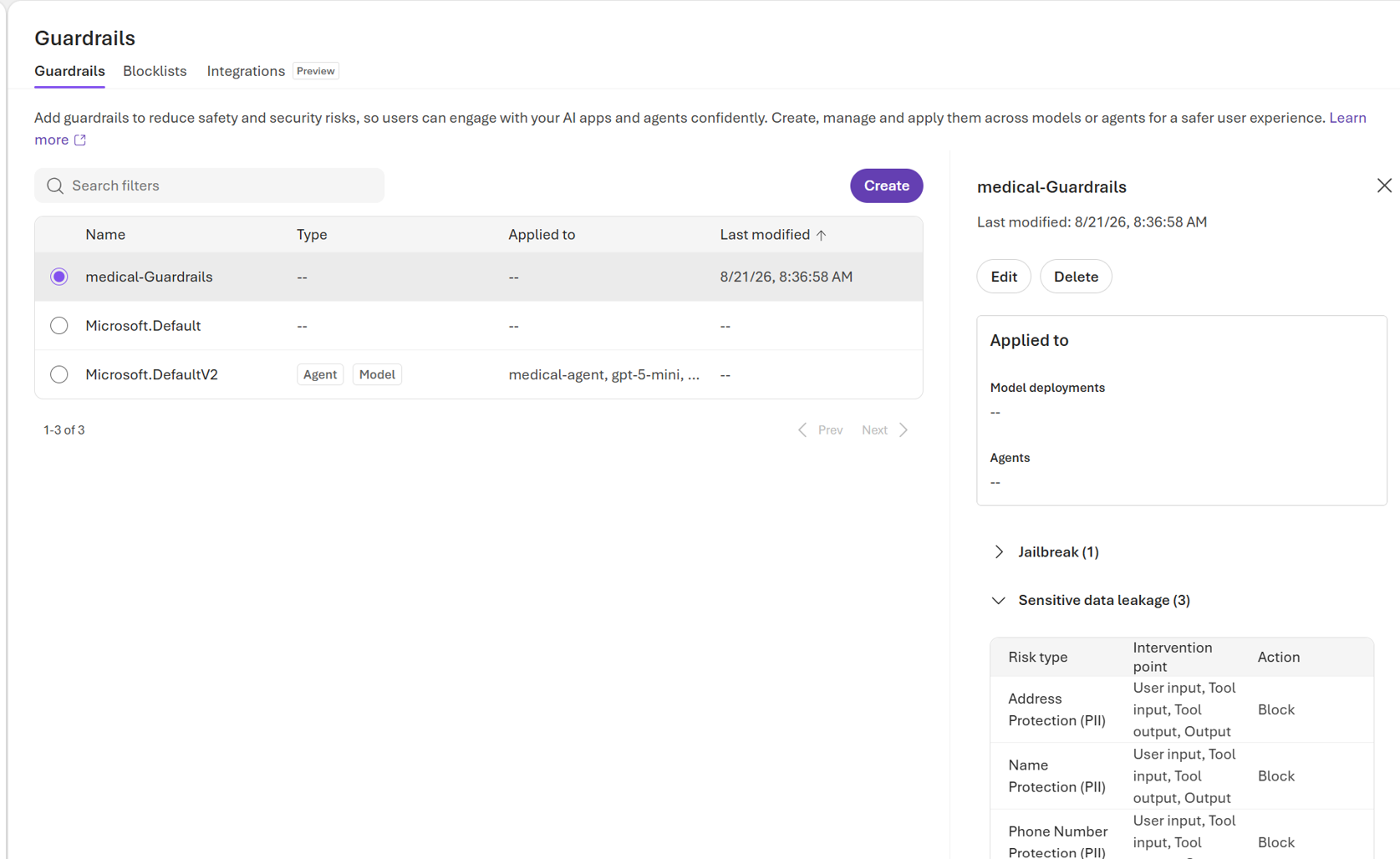
- Handle PHI with guardrails and classification.
- Secrets in Key Vault; managed identity over shared secrets.
- Least privilege via semantic-layer RLS.
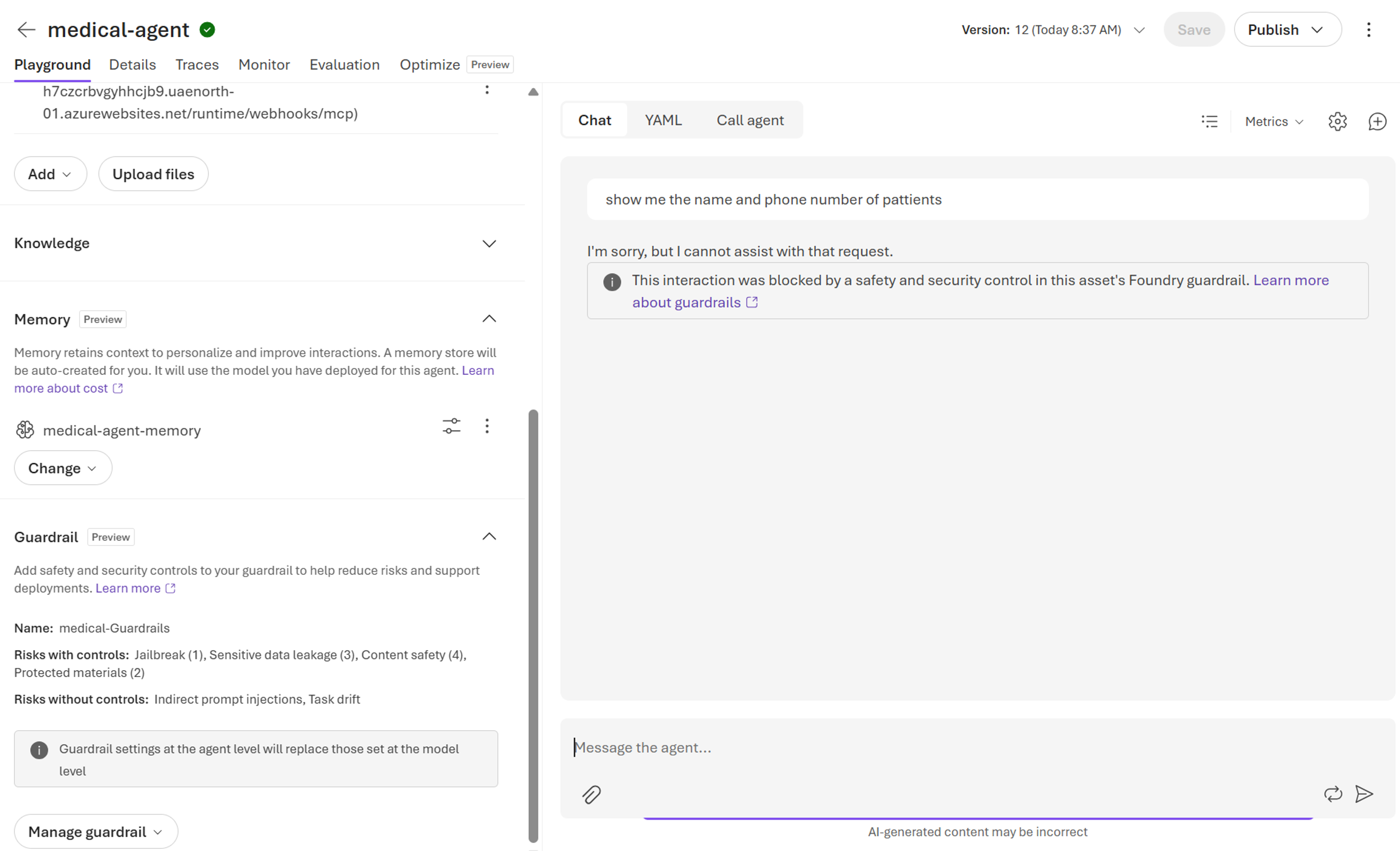
Foundry guardrails apply content-safety and sensitive-data (PHI/PII) controls around every tool call. When a request would leak protected data, the guardrail blocks it before it ever reaches the model. Compliance and velocity aren't a trade-off if you design for it.
XIII. FIELD LESSONS — REAL WAR STORIES
All real, all from this build, all passed the demo but broke production until fixed:
- Interpreter/venv mismatch →
ModuleNotFoundError(host used global Python). - Wrong Azure OpenAI deployment name →
404. - gpt-5 temperature constraint → omit the param.
- Flex Consumption wiped in-memory state → mount Azure Files.
- MCP required-property validation hard-failing agent calls.
- A competing web-search tool silently overriding grounding.
- Secrets committed in
local.settings.json→ move to app settings / Key Vault.
XIV. THE PRODUCTION-READY CHECKLIST
This is the answer when a client asks "is this production-ready?"
- ✓Grounded — answers cite your data ([doc#chunk]).
- ✓State externalized — no reliance on serverless memory.
- ✓Identity at the boundary — Entra + keys; on-behalf-of for data.
- ✓Entitlements enforced before data reaches the model (RLS/roles).
- ✓Resilient — bad params, throttling, tool failures handled.
- ✓Observable — logs, traces, evals, cost alerts.
- ✓Region-pinned & compliant — inference in-tenant, PHI-aware.
- ✓Secrets in Key Vault — managed identity, least privilege.
- ✓Reproducible deploy — remote build, app settings, pinned config.
RECAP
Synthesized in one breath: ground it, externalize state, secure it, observe it, make it resilient, keep it compliant. The gap between a POC and production is architecture — close it deliberately.
Bibin Prathap — Microsoft MVP
Enterprise Knowledge Graphs, MCP, GraphRAG and on-prem GenAI for regulated environments. Presented at the MCT Summit — Azure AI & Microsoft Copilot general session.